
The file transfer feature is now available, allowing users to easily send and receive files between Claude and external applications.
Overview of the File Transfer Feature
The newly introduced file transfer feature is set to revolutionize the way users interact with Claude and external applications. Designed with user convenience in mind, this feature allows seamless sharing of files, enhancing collaboration across various platforms.
During its beta launch, users experienced firsthand how the file transfer feature simplifies workflows. The integration supports a variety of file types, making it versatile for different needs. Key benefits include:
- Efficiency: Transfer files quickly without the need for complicated processes.
- Compatibility: Works with numerous external applications, providing flexibility in file sharing.
- User-friendly interface: Intuitive design ensures that all users, regardless of technical skill, can utilize the feature effectively.
This launch marks a significant step forward in enhancing user experience and productivity, making the file transfer feature a valuable tool for anyone looking to streamline their operations.
Benefits of Integrating Claude with External Apps
The integration of the file transfer feature with external applications offers numerous benefits that enhance productivity and streamline workflows.
- Seamless Collaboration: Users can easily share files between Claude and their preferred apps, allowing for real-time collaboration without the hassle of switching platforms.
- Increased Efficiency: By enabling direct file transfers, teams can reduce the time spent on manual uploads and downloads, leading to quicker project completions.
- Improved Accessibility: The file transfer feature ensures that important documents and resources are readily available, making it easier for users to access the information they need anytime, anywhere.
- Enhanced Security: With secure file transfers, sensitive data remains protected, giving users peace of mind when sharing information through Claude.
- Versatile Integration: The ability to connect with various external apps means users can customize their workflows according to their specific needs.
Overall, integrating the file transfer feature significantly enhances user experience and operational efficiency.
How to Use the New File Transfer Feature
The new file transfer feature is designed to streamline your workflow and enhance collaboration. To get started, follow these simple steps:
- Access the Feature: Open the Claude interface and navigate to the integrations menu.
- Select External App: Choose the app with which you want to share files. Ensure that both Claude and the external app are properly integrated.
- Upload Files: Click on the upload button to select the files from your device that you wish to transfer.
- Confirm Transfer: After selecting the files, confirm the transfer details and hit the send button.
- Receive Confirmation: You will receive a notification once the file transfer is complete, ensuring that your files have been successfully shared.
By following these steps, you can take full advantage of the file transfer feature, making collaboration with your team easier than ever.
User Feedback on the File Transfer Experience
Since the beta launch of the file transfer feature, user feedback has overwhelmingly highlighted its ease of use and integration capabilities. Many users have expressed appreciation for how seamlessly they can share files between Claude and their favorite external applications.
Here are some key points gathered from user reviews:
- Intuitive Interface: Users find the interface straightforward, allowing them to transfer files without any technical hurdles.
- Speed: The speed of file transfers has been commended, with many noting that it significantly improves productivity.
- Reliability: Early adopters have reported minimal issues, citing the feature’s robustness during heavy usage.
- Support for Multiple Formats: Users appreciate the variety of file formats supported, making it a versatile tool for various needs.
Overall, the file transfer feature has received a positive reception, positioning it as a valuable addition to Claude’s suite of functionalities.
Future Updates for Claude’s Capabilities
As Claude continues to evolve, several future updates are planned to enhance the file transfer feature and improve user experience. These updates aim to address user feedback and expand functionality, making the integration with external applications even more seamless.
Upcoming enhancements may include:
- Increased File Size Limit: Future versions are expected to support larger file sizes, accommodating more extensive documents and data transfers.
- Enhanced Security Measures: With a focus on data protection, Claude will introduce more robust encryption protocols for secure file transfers.
- Support for Additional File Formats: Users can look forward to the ability to transfer a broader range of file types, increasing versatility.
- Improved User Interface: Future updates will refine the user interface, making it more intuitive for file transfers.
These enhancements will ensure that Claude’s file transfer feature remains a valuable tool for users, keeping pace with their evolving needs.
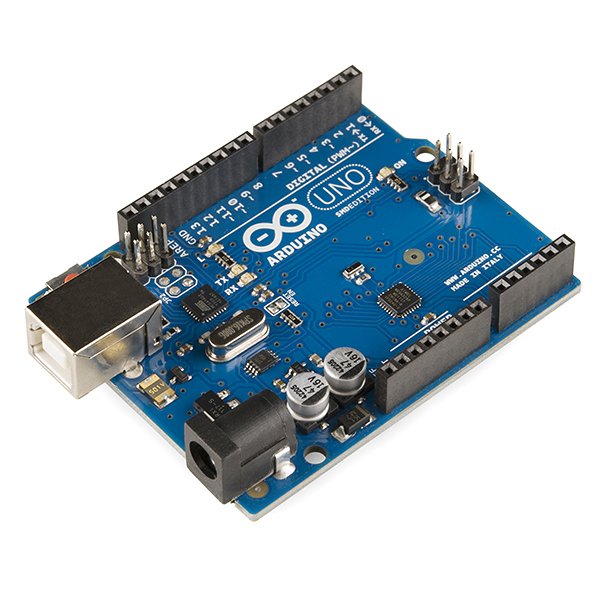
By SparkFun Electronics from Boulder, USA via Openverse
Read the original
You might also like
Marlowe AI funding: Proven $277 Million for Growth · AirPods Pro 3 Deals: Are They the Best Black Friday Offers? · Division 2 Spearfall Update: Quick Changes You’ll Love